
Students and Fresh Graduates
Format and length for student resumes – Page 2
Are design-tool templates (like Canva) OK for student resumes?
They can look attractive, but many design-tool templates use text boxes, columns and images that some applicant tracking systems read poorly. For online applications, a simple text-based template is safer.
If you use one:
- Choose a single-column layout with little decoration.
- Export as a PDF with selectable text.
- Test it by copying all the text into a plain document and checking the order.
Keep the design-heavy version for printed copies, portfolios or roles where you send the file directly to a person.
How many bullet points should each entry have on a student resume?
Two to four bullets for important entries and one or two for minor ones. On a one-page student resume, this keeps the page balanced.
A guide:
- Main internship or project: three or four bullets.
- Part-time job: two or three bullets.
- Short or less relevant entries: one bullet or none.
- Activities: one bullet each.
Each bullet should add new information. If you cannot think of a meaningful bullet, fewer is better than filler.
Should my resume format change for internships versus part-time jobs?
The basic format stays the same, but the order and emphasis change.
For internships:
- Education and projects near the top.
- Skills and relevant coursework highlighted.
- Summary mentions your field and availability dates.
For part-time jobs:
- Availability and customer or teamwork experience near the top.
- Any previous part-time or volunteer work first.
- Education shorter, with just the course and year.
Keep two saved versions so you can adapt quickly.
Should a student use A4 or US Letter paper size?
Use A4 for most countries, including the UK, Europe, the Gulf, India and Australia, and US Letter for the United States and Canada. Choose the size before finishing your layout so page breaks stay correct.
Tips:
- Check the PDF preview after switching size.
- Keep a version in each size if you apply in both regions.
- Print a test page if you will bring printed copies to a career fair.
ResumeBuilder.ae supports both A4 and US Letter.
How can I fit small items like languages and interests without wasting space?
Combine them into one short "Additional Information" section, with one line for each type of item.
Example:
"Additional Information
Languages: English (fluent), Arabic (native), French (basic)
Certifications: Google Analytics Certification (2025)
Interests: competitive chess, volunteering at a weekend coding club"
This keeps the page tidy and stops several small sections from each taking a heading and spacing. If one item becomes important for a job, such as languages for a translation role, give it its own section.
Can I use a table to line up dates and details on my resume?
It is safer not to. Some applicant tracking systems read table cells in an unexpected order or skip them, which can scramble your dates and job titles.
Instead:
- Use a template that aligns dates for you without tables.
- Use tab stops or right alignment if you are formatting in a word processor.
- Keep each entry as simple lines of text.
If you already used a table, copy the text from your PDF into a plain document. If the order looks wrong, change the layout before applying online.
How do I check that my student resume looks right before sending it?
Check it in three ways: as a PDF on screen, as plain text and on paper or a phone screen.
Checklist:
- Open the PDF and check that nothing is cut off and page breaks are clean.
- Select all text and paste it into a plain document; the order should make sense.
- Look at it on a phone, since many recruiters read on mobile.
- Print it or view at full size to check spacing and font size.
- Read it aloud to catch typos.
Running it through an ATS-readiness check can also flag missing sections or contact details, though no tool can predict every employer's system.
Can I make and send my student resume from my phone?
Yes. Many students build and send resumes on a phone. Use a builder that works in a mobile browser, preview carefully and check the final PDF before you send it.
Tips:
- Type longer text in a notes app first if the screen is small, then paste it.
- Use the preview to check line breaks and page length.
- Download the PDF and open it to make sure it looks right.
- Rename the file clearly before attaching it.
ResumeBuilder.ae works in phone browsers, with Edit, Preview and Download buttons at the bottom of the screen.
Which sections should I use in a resume builder for a student resume?
Start with Education, Skills and any experience you have, then add only the optional sections you can fill with good content.
Useful sections for students:
- Education, Internships, Work Experience.
- Projects and Skills.
- Volunteer Work, Awards and Languages.
- Certifications or Professional Training for online courses.
- A Custom Section with your own heading, such as "Leadership".
ResumeBuilder.ae includes all of these and lets you reorder them, so you can move Projects above Work Experience for a technical role. Leave empty sections out rather than filling them with weak items.
How do I show my current year of study on my resume?
Show your expected graduation date in the Education section. That tells employers your stage clearly. You can also add your year in brackets if it helps.
Examples:
- "BSc Computer Science | University of Sharjah | Expected Jun 2027"
- "BA Economics (second year of three) | University of Leeds | Expected 2027"
Use the same information in your summary if you have one: "Second-year economics student seeking a summer internship." Internship recruiters often target specific years, so make your stage easy to spot.
Within each section, what order should entries go in?
Use reverse chronological order: the most recent entry first. This is the standard approach and what recruiters expect.
Exceptions:
- In a "Relevant Experience" section, you may put the most relevant entry first even if it is older, but keep the overall approach clear.
- In Projects, lead with your strongest or most relevant project.
Whatever you choose, apply it consistently. Mixing orders in the same section looks confusing.
Should I put my contact details in the header of my Word document?
Put them in the main body of the page, at the top, rather than in the word processor's header or footer area. Some applicant tracking systems may not read text placed in headers and footers.
Include:
- Full name (larger font).
- Phone with country code.
- Professional email.
- City and country.
- LinkedIn, GitHub or portfolio links if relevant.
Resume builders usually place this information correctly for you. If you write your resume in a word processor, simply type it at the top of the first page.
Is it OK to send the same one-page student resume to every employer?
You can use one base layout, but adjust the content for each type of job. A single generic version is easy, but tailored versions get more attention.
Light tailoring:
- Change your summary's target role.
- Reorder skills to match the advert.
- Move the most relevant project or experience higher.
- Swap one or two bullets for more relevant ones.
Keep the format the same so it stays quick. Most builders let you save several versions, which makes this simple.
Should a student resume use bold, italics or underlining?
Use bold sparingly for your name, section headings and job or degree titles. Use italics lightly, for example for dates or locations. Avoid underlining, which looks like a link.
Keep it consistent:
- All section headings in the same style.
- All job titles in bold, or all in normal text.
- No bold words scattered through bullets.
Too much emphasis makes everything look equally important, so nothing stands out. Simple, consistent styling looks professional.
Should students include a summary at the top, or does it waste space?
A short summary is useful if it is specific; skip it if it would be generic. On a one-page student resume, two or three focused lines can help employers see your target role straight away.
Include it when:
- Your degree does not obviously match the job.
- You want to name the role or internship you want.
- You have one standout achievement to highlight.
Skip it when your education and experience already make your direction clear and space is tight.
How do I format a student resume for a printed copy at a career fair?
Use the same content, but check that the printed version is clear in black and white, uses at least 10-point text and has no links that only work on screen.
Tips:
- Spell out your LinkedIn or portfolio address in short form.
- Print on plain white A4 or Letter paper, one sided.
- Avoid dark backgrounds or large blocks of colour that use a lot of ink.
- Carry copies in a folder so they stay flat.
A clean single-column design prints best.
Templates to try
Free to edit and preview. Single-column layouts are the safest choice for applicant tracking systems.
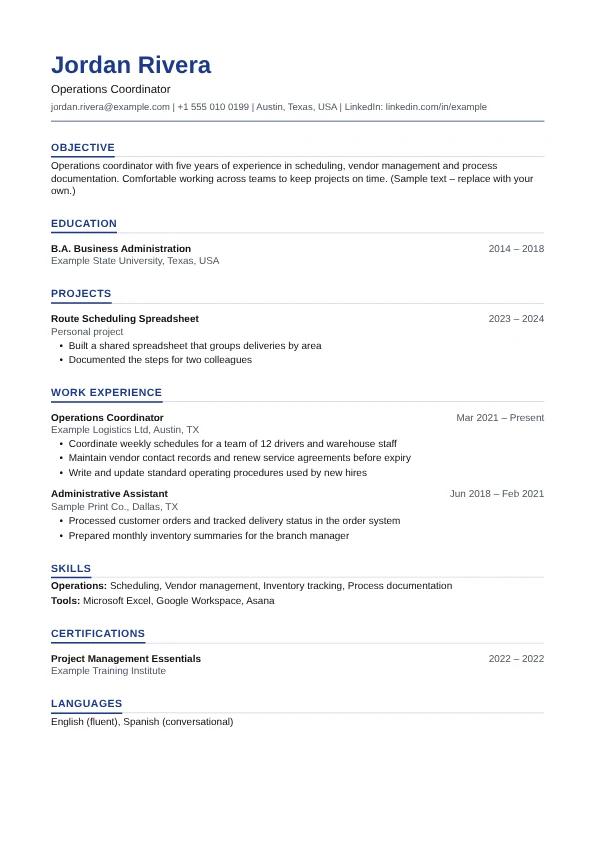
Graduate Resume
Single column

Student Resume
Single column

ATS Classic
Single column
General guidance for job seekers, not legal or immigration advice. Employers and applicant tracking systems differ, so always follow the instructions in the job advert. Spotted a mistake? Email support@jobb.ae.
Ready to build your resume?
Start with a sample or a blank page. No sign-up needed. Free to edit; US$1.00 only if you download a PDF.